In a private test
See your friends more often.
bimpsin is a phone app for making plans with friends. Say who you want to see, and it handles the back-and-forth of finding a time.
How it works
Three ways to make a plan
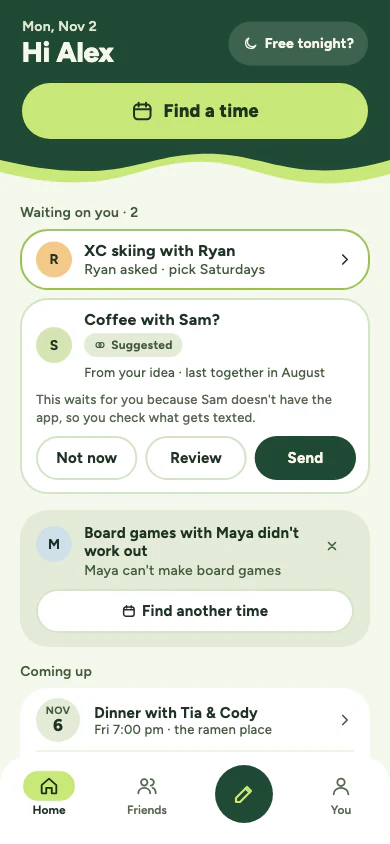
Most of the time you won't open the app at all. You answer an invite from a notification, and the plan lands on your calendar.
Find a time
-
 1
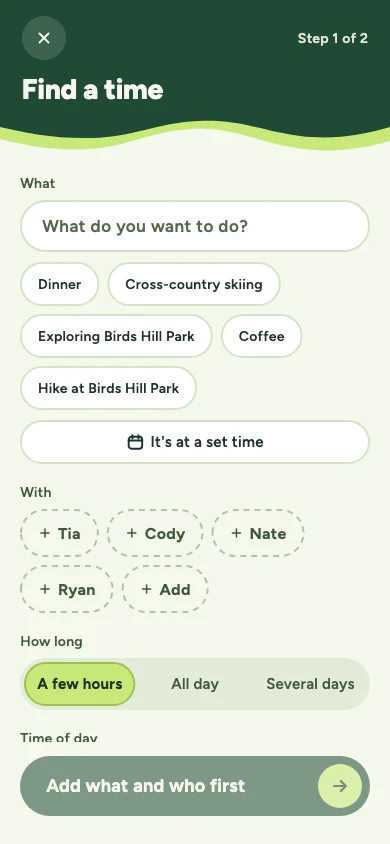
Say what and who
Dinner, coffee, a ski day. Pick the people and roughly how long, and bimpsin does the asking.
-
 2
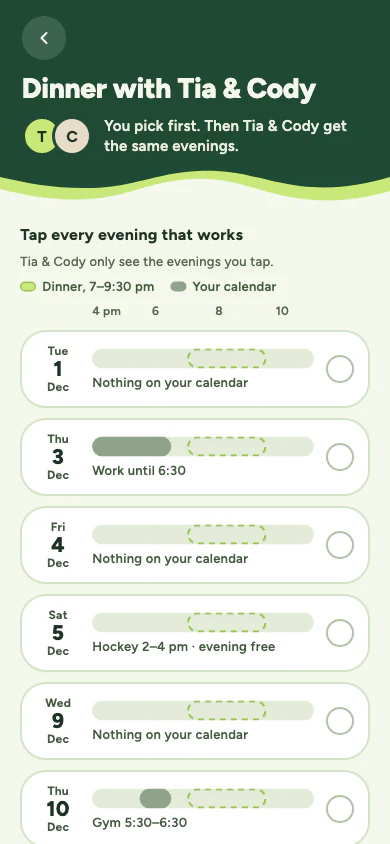
Everyone taps what works
Your calendar only rules evenings out. You tap the ones that actually work, and your friends only ever see those.
-
 3
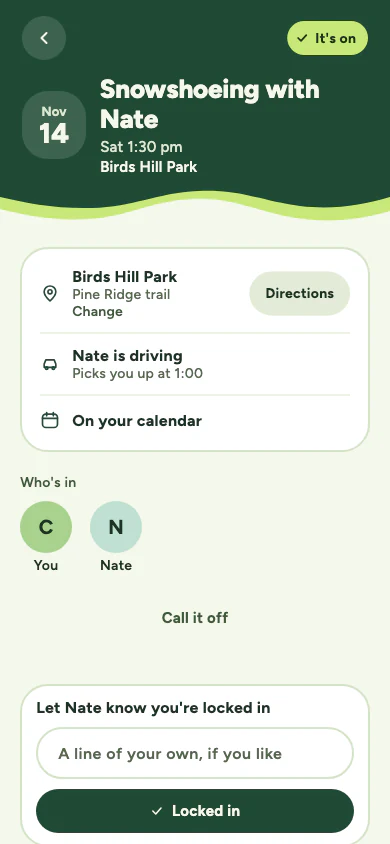
It's on
Once a time works, the plan gets its own page: where, who's in, who's driving and what to bring. No group chat needed.
Spontaneous
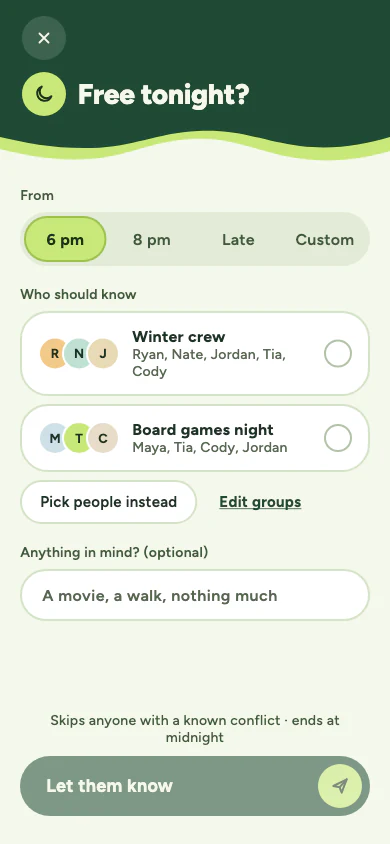
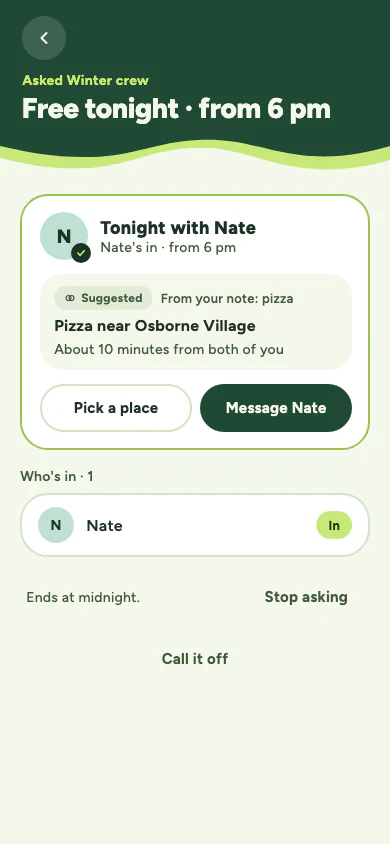
Free tonight?
Pick a time and a circle, like your winter crew, and let them know you're around. bimpsin skips anyone with a known conflict, and the ask ends at midnight.
Whoever's in, is in. Nobody sees who didn't answer.
Already got a date?
Concerts, shows, a game
When the time isn't up for discussion, tap It's at a set time, or share the ticket page to bimpsin. Friends answer I'm in or Not this time, and it's on as soon as one of them is in.
Private by default
Plans, not a social network.
Calendars only rule days out
bimpsin checks when you're busy, never what you're doing. Event titles never leave your phone, and each person taps the dates that work for them.
Friends see answers, not your calendar
People in a plan see who's in and the time that works. Never your calendar, your notes or your reasons.
No feed, no likes, no ads
Notifications are only about real plans with real people. No streaks, no analytics, no tracking.
Friends without the app
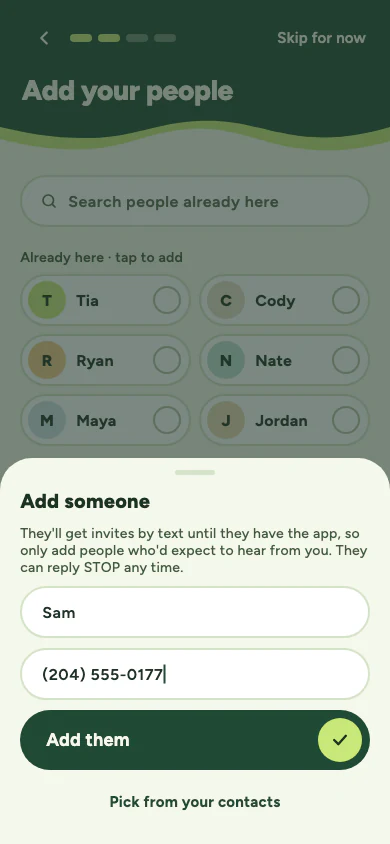
They get a text
When you invite someone who doesn't have bimpsin, we text them for you. The text names you, says it came through bimpsin, and links to a simple page where they pick the times that work. They can also just reply by text.
No account or download needed, and they can reply STOP at any time.

bimpsin is in a private test for now.
It isn't in the App Store or on Google Play yet. Questions about bimpsin or your data? Email privacy@bimpsin.com.